
There are several great ways you can enable multiple Profiles on ScaleGrowth depending on your use case.
Two-Sided Marketplace
Are you looking to create any sort of match-making experience that has a two-sided dynamic:
- Companies vs Candidates for a Job Board
- Mentors vs Mentees for a formal Mentorship Program
- Services sold by Vendors that Customers can find
- Products sold by Sellers that Buyers can purchase
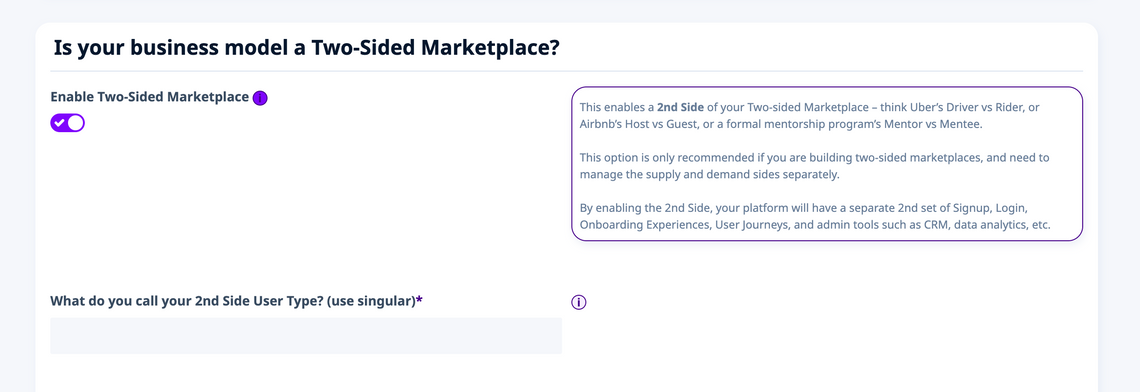
In this case, we recommend using our Two-Sided Marketplace feature to enable that. It works just like your favorite marketplace – think Airbnb which has Hosts and Guests.
That has entirely separate and different User Journeys, workflows, and engagement automations for each of the 2 sides, because the way Airbnb drives engagement and conversion for Hosts is very different to what they do for Guests.
The Two-Sided Marketplace included in our Scale or Enterprise plans, and you can enable it under Enter Admin > Settings > Choose Experiences:
Multiple Member (or Provider) Profiles
Or are you looking to simply have one shared User Journey that allows your end-users to switch between different identities using the same Email login?
In this case, you can Allow multiple Member Profiles per User – this setting is available for our Professional, Scale or Enterprise plans:
- Enter Admin if you aren't already
- Head to Settings > Configuration > Navigation & information Architecture
- In here, you will find the setting to Allow multiple Member Profiles per User
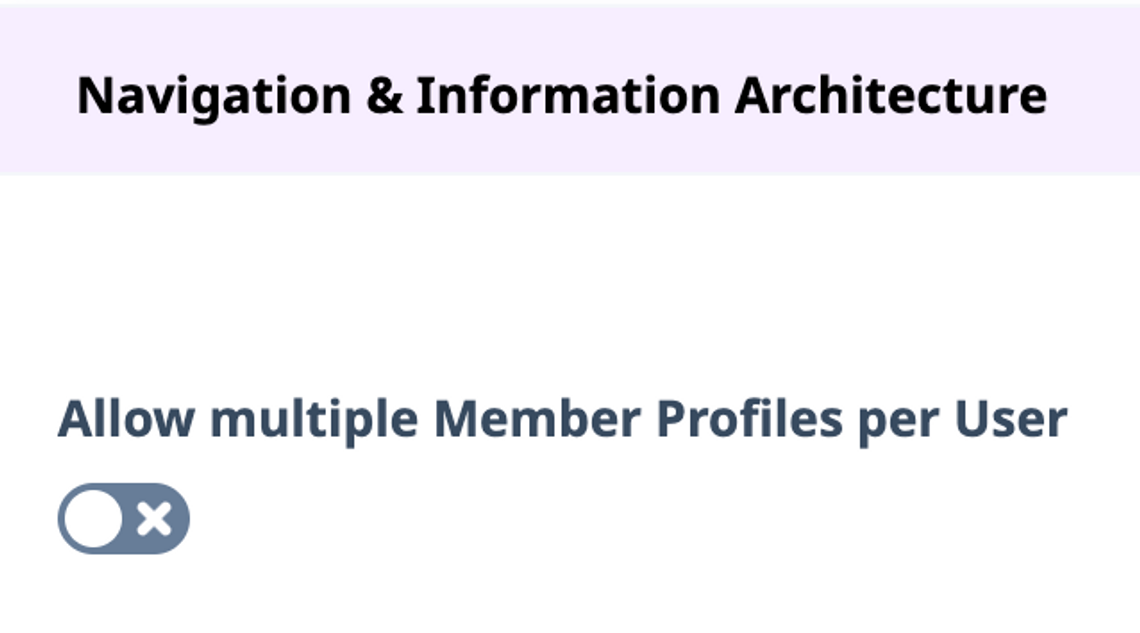
And if you are already using our Two-Sided Marketplace functionality you will also see an additional setting to Allow multiple Provider Profiles per User – you can have multiple profiles on either or both sides.
If you have additional questions for how to best set up ScaleGrowth for your use case, don't hesitate to Ask SG Team in your Success Center.
