
Sometimes, you may want to implement additional tracking or data synchronization for the end-users who have Signed Up on your ScaleGrowth Solution.
To do this, you can use our Webhooks functionality.
First, please make sure your developer or the person implementing this integration has Admin or Moderator access on your ScaleGrowth Solution. The rest of this guide assumes you have such access.
Then, follow these steps:
- Enter Admin if you aren't already
- navigate to User Journeys > Workflows
- click Next and then Edit or Create a new Workflow
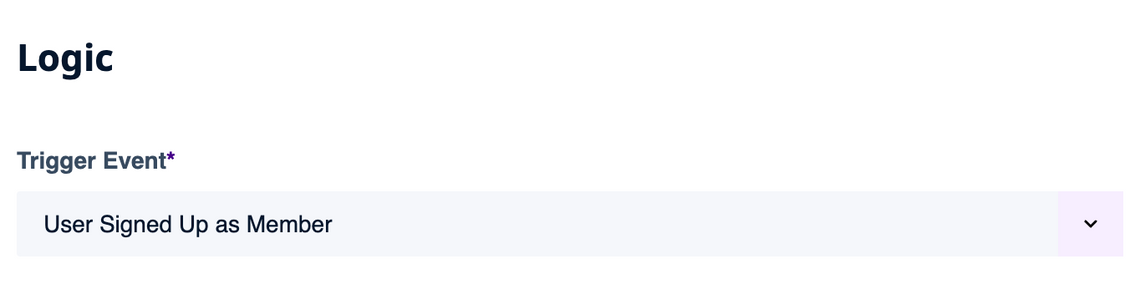
- look for Trigger Event setting under the Logic section
- select User Signed Up as Member in there
- scroll down to the Webhooks section
- enable the Send Webhooks option
- click the little circled i button to display instructions on how to set these up
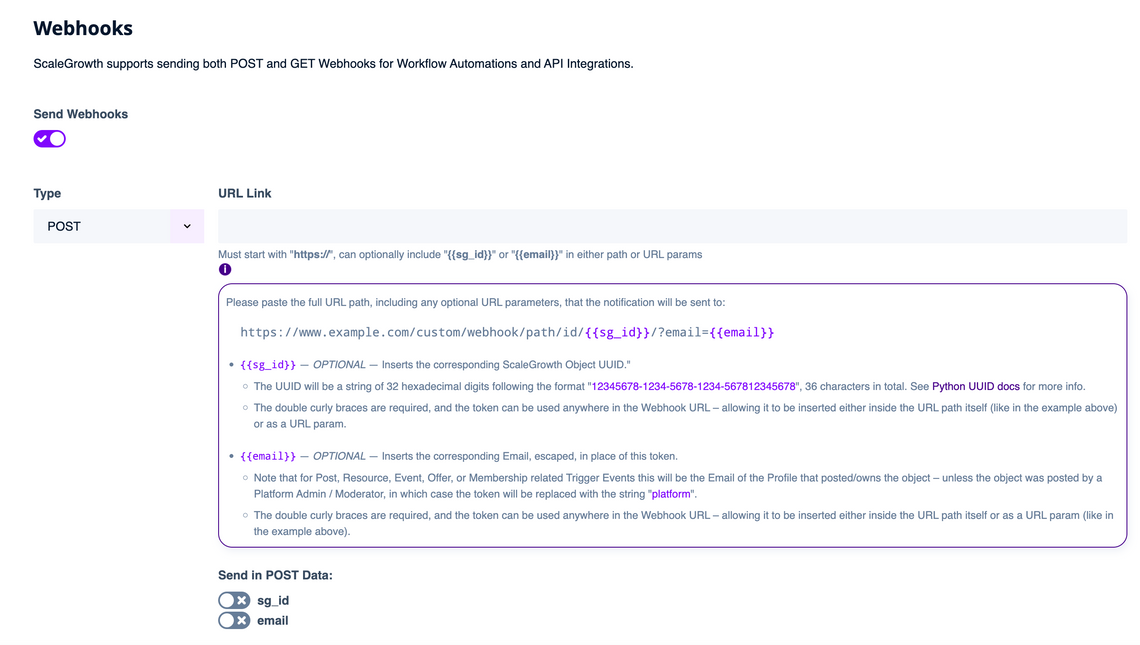
Please follow the provided instructions to set up your Webhook.
If you have any additional questions on using our Webhooks for this type of integration, please head to your Success Center and post under Ask SG Team – we are always happy to help!
