
Admins and moderators on ScaleGrowth can post content either as The Platform or as their personal profiles. This flexibility allows for effective communication depending on the context and audience. The following guide explains how to switch between these posting modes and best practices for each.
Posting as The Platform:
Admins and moderators have the ability to post content representing your ScaleGrowth Solution [The Platform]. To do this:
1. Enter Admin in the navigation menu.
2. Post the desired content.
- The owner/author avatar will be your ScaleGrowth Solution's logo,
- and the owner/author name will be listed as your ScaleGrowth Solution's name.
Posting as an Individual:
To post content from your personal account profile:
1. Exit Admin mode before posting.
2. Proceed with posting the content.
- Your ScaleGrowth Profile's avatar & name will be used for the owner/author,
- and clicking on them when browsing the piece of content you just created will take the user to your Profile Micro-Page.
This feature allows rapid switching between posting as the platform and posting as an individual, providing convenience and flexibility.
Best Practices for Posting:
- As the Platform: Use this for content that represents your brand's communication to the wider audience, such as community guidelines or codes of conduct.
- As an Individual: Engage members one-on-one for a more personalized interaction, such as thanking them for their contributions or asking follow-up questions.
Research indicates that end users respond better to direct conversations from individual profiles compared to organizational brands.
Posting on Behalf of Another Account:
Admins and moderators can also post as any other Profile:
1. Enter Admin mode.
2. Proceed with posting the content.
3. Look for Post on behalf of someone option in the UI.
4. Search for and select the desired profile to assign as the content owner.
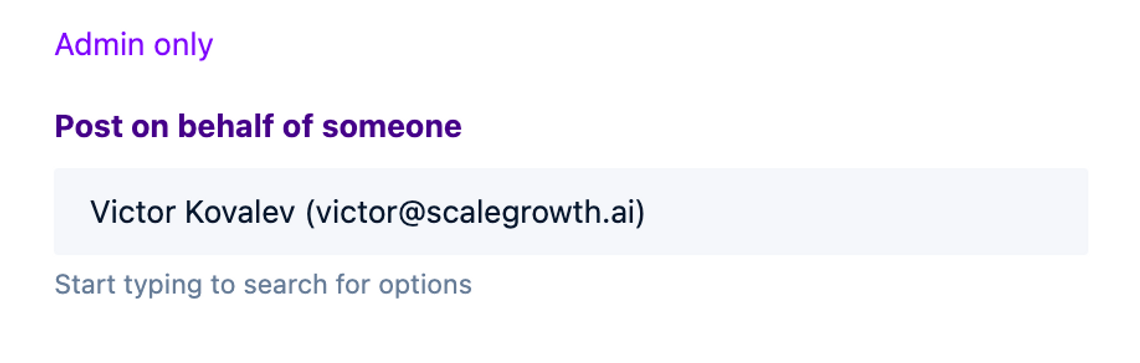
This functionality is useful for managing content or posting on behalf of members without the hassle of switching accounts.
Sometimes, you may want to create additional "Brand Identities" or Administrator accounts for this purpose – and this feature allows you to post and engage with your end-users as them quickly.
For further details, refer to Admin Post on Behalf of A Member
