
In the world of Data Science, having consistent tagging of content is super important.
When you think about the design of your AI-powered Solution, there are likely to be tags or categories of content that are applicable across the board – such as topics of interest. These tend to be applicable regardless whether a given piece of content is a custom Listing, an Event, a Resource, a Post, or a Directory Profile.
The best practice is having a couple sets of such tags that your members can become familiar with to navigate your platform.
ScaleGrowth allows you to define up to 6 sets of such Platform-wide Tags – depending on your plan, with additional ones available as add-ons.
To configure these:
- make sure to Enter Admin
- head to Settings > Configuration > Platform-wide Tags
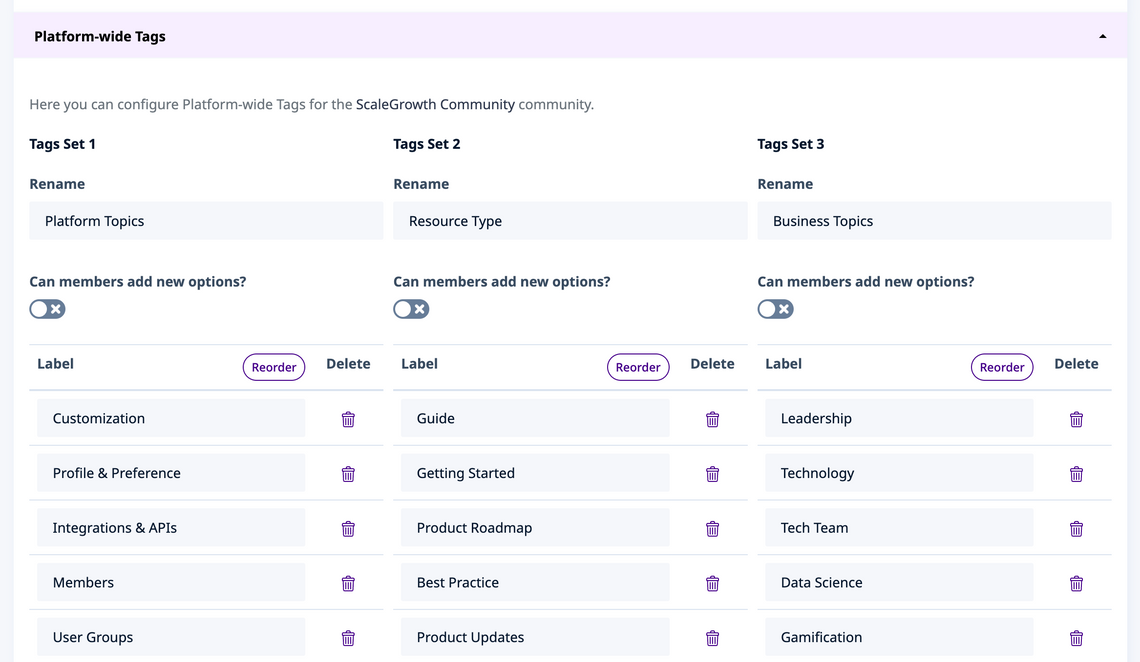
Also that Can members add new options? setting above:
- this can be really powerful if you wish to create an open-ended tagging category
- think about the #hashtag experience of LinkedIn or Facebook as an example
You can also configure which of these are used for a particular Space:
- Enter Admin
- navigate to the Space you wish to modify
- click Settings in the top right
- in there, look for the Show Platform-wide Tags for this Space field – and select the ones you wish to use here
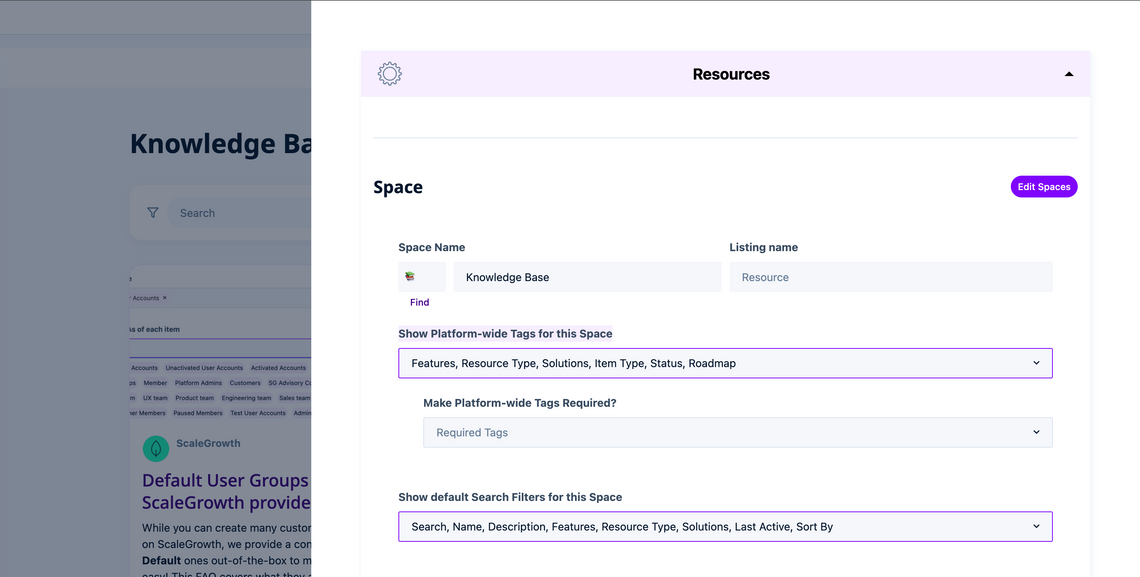
- note that you can also Make Platform-wide Tags Required just below
- and you can choose to include them under Show default Search Filters for this Space in the next field after that
That's it – you now have professional-grade tagging, integrated with our AI & Data Science engine!
