
Summary
ScaleGrowth provides comprehensive REST-ful APIs for our Scale and Enterprise customers.
Our proprietary API Engine dynamically generates unique APIs based on your custom Data Model, offering full management support for all custom fields in your ScaleGrowth platform. The API covers User Accounts, Profiles, Discovery Preferences, and Interactions, including content types such as Posts, Resources, Events, custom Listings, and Products.
For integration with your other apps, our API supports full Single Sign-On [SSO] in both directions:
- End-users can Sign Up/Log In with your other app, then seamlessly authenticate into a ScaleGrowth account managed by your app via APIs.
- Alternatively, end-users can Sign Up/Log In via ScaleGrowth, with corresponding SSO and managed identity created within your other app through our APIs.
Explore the sections below for detailed information on our API integrations. For further assistance or to initiate a new API integration, contact us through your Success Center.
Enabling the API
The API is disabled unless & until you need to use it as a best practice for security reasons. If you are a current customer on a plan that includes API Access, please head to your Success Center and post a request to enable your API access under Ask SG Team.
API Client Management
The ScaleGrowth API offers robust API Client permission settings linked to individual User Accounts. This allows you to create and authenticate multiple API integrations or Client applications, each managed by different "API Owner" User Accounts. This provides granular access permissions and auditing control on your end.
To set up an "API Owner" User Account, log in to Your ScaleGrowth Platform with one of your Admin User Accounts. See How to assign platform Admins & Moderators on how to create these.
- Enter Admin if you aren't already
- Go to Manage > User Accounts
- Locate the User Account you want to grant API access to
- Find the Grant API button under the Actions column
- Click to allow API access for this user
Once you do this, the User Account will now see a new Platform API section in the navigation menu:
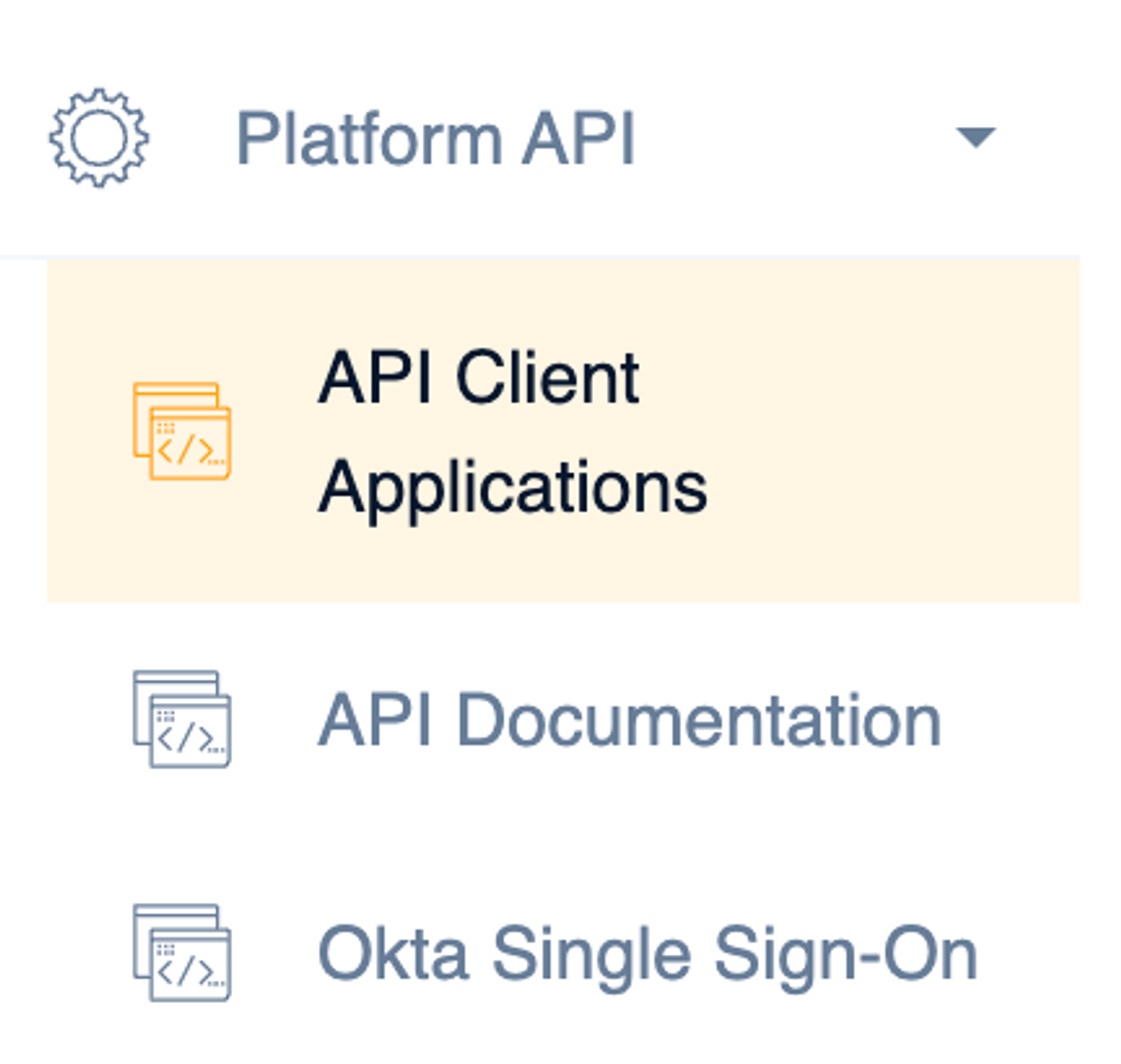
Head into API Client Applications to set up a new API Client
Note that our system will generate a unique username for each "API Owner" User Account – for example, "victor6" in the screenshot below.
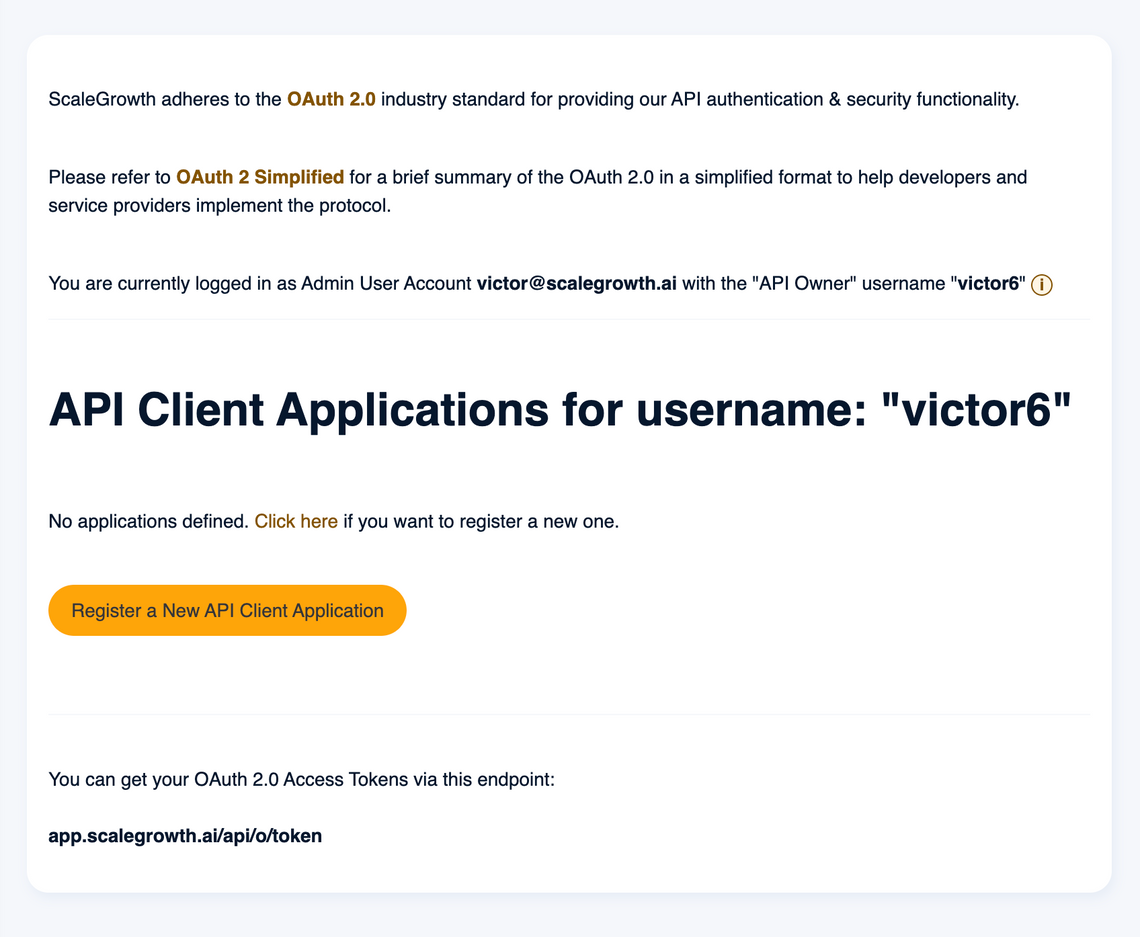
💡 As best practice, we recommend using Mailing Lists such as api@ or developers@ and tying your actual API Client Applications to those instead of developer’s individual emails.
API Authentication
ScaleGrowth follows the OAuth 2.0 industry standard for API authentication and security.
Please consult OAuth 2 Simplified for a simplified overview aimed to help API Client developers implement the protocol.
OAuth 2.0 offers varied authentication options for different use-cases. Contact our product team through your Success Center for guidance on API authentication strategies. Customers on Enterprise plans can also request complimentary technical support calls by posting in the Success Center, with the condition that the actual developer implementing API integration and authentication is present on the call for efficient support.
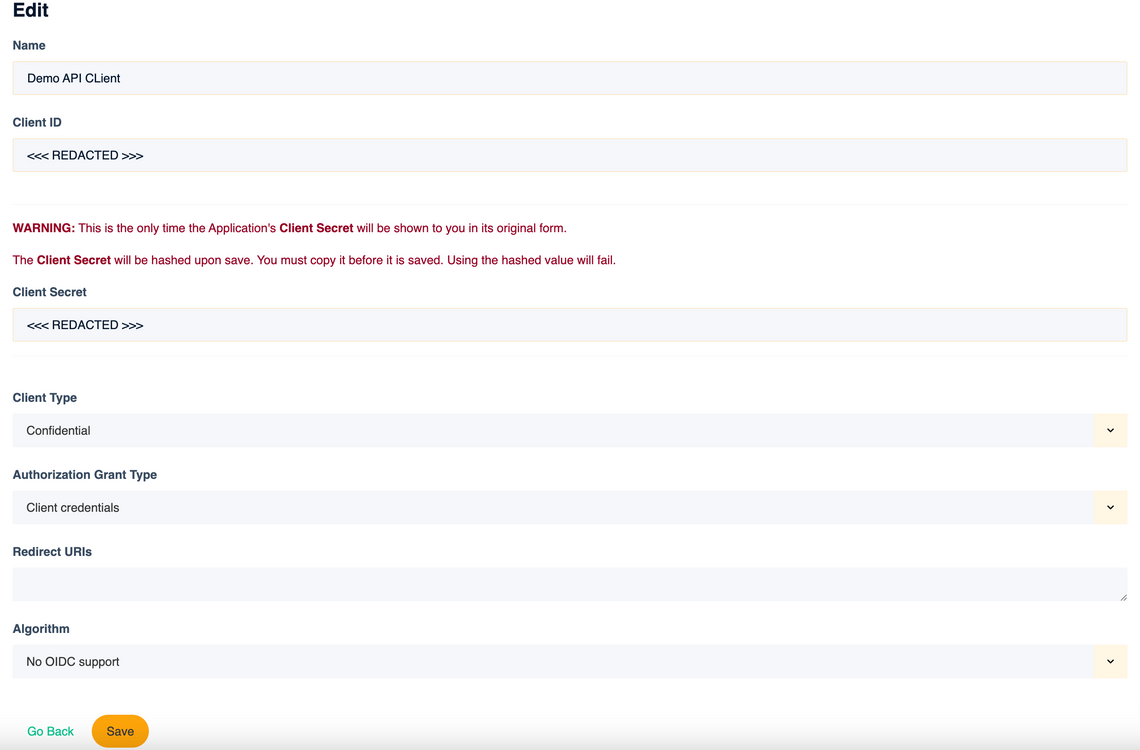
Once you settle on the approach, log in with your "API Owner" User Account and head to API Client Applications to register your API Client.
Using the API
Our API adheres to REST design principles. The ScaleGrowth API Engine dynamically generates CRUD endpoints for interacting with and managing objects within the ScaleGrowth database.
To use the API, ensure your ScaleGrowth platform is configured with the appropriate Data Model fields for user Profiles (and Discovery Preferences if using Data Science/AI Matching & Recommendations). Define these fields in the ScaleGrowth app using your Admin account.
Once the Data Model is defined, it becomes the API Schema generated for you. The specific fields depend on your custom ScaleGrowth app configuration but adhere to standard CRUD REST principles.
API Documentation
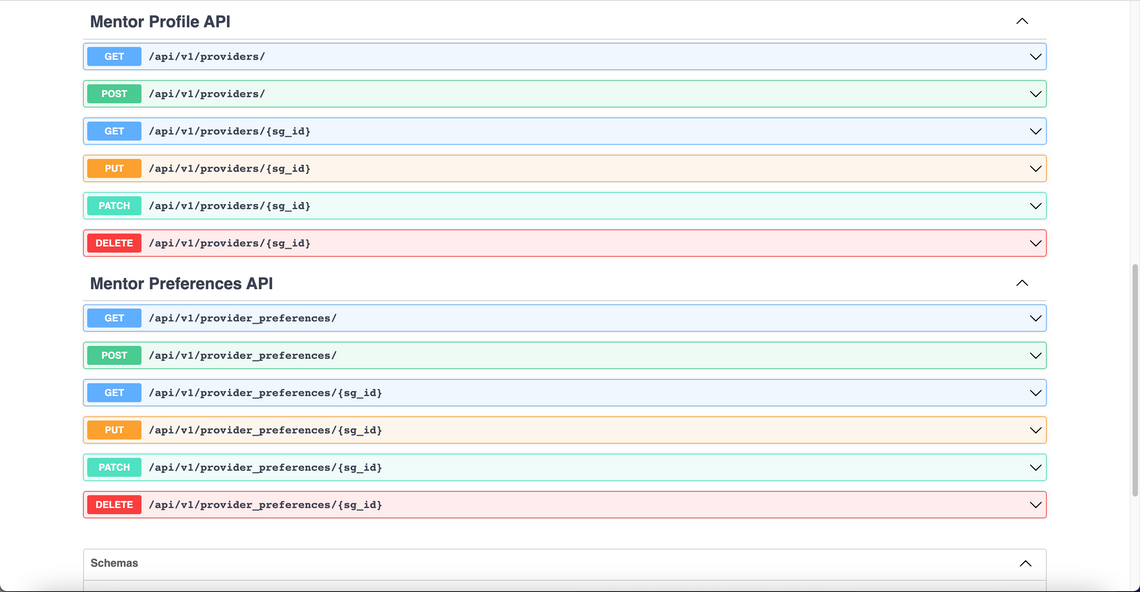
The ScaleGrowth API Engine creates dynamically-generated API Schema based on your custom Data Model, accompanied by comprehensive documentation for each API endpoint.
Here is an example of a 2-sided Marketplace scenario with "Startups" (Members) and "Mentors" (Providers):
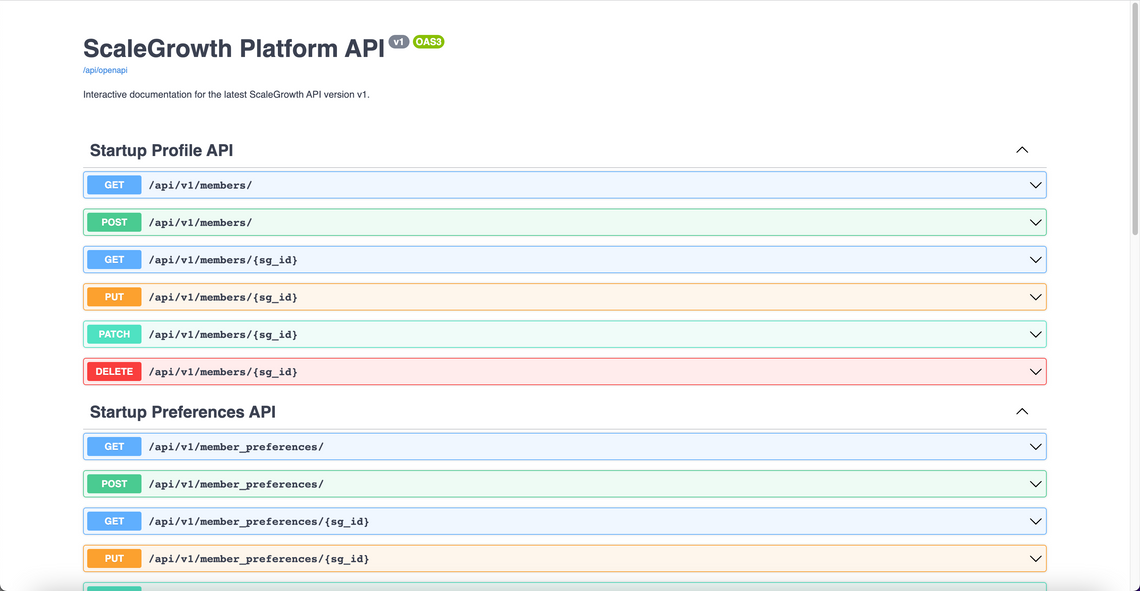
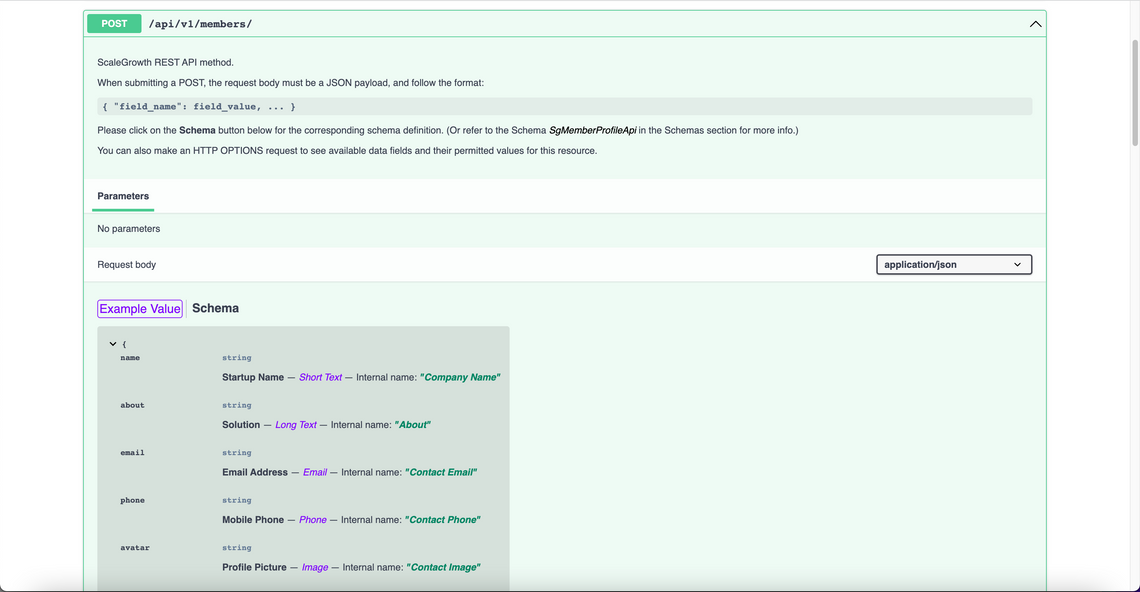
This documentation includes detailed schemas, example request payloads, and mappings between API parameters and ScaleGrowth platform Data Model field names:
User Account Single Sign-On [SSO]
ScaleGrowth enables bi-directional Single Sign-On [SSO] support: users can sign in either from your application into ScaleGrowth or vice versa, and even into other third-party applications used alongside ScaleGrowth.
SSO into ScaleGrowth with Your App's User Accounts
For SSO from your application into ScaleGrowth, your application needs to implement the OAuth 2.0 Provider protocol (refer to the OAuth 2 Simplified guide).
Optionally, you can disable regular username and password-based Sign Up and Log In on your ScaleGrowth platform, directing users to log in via your application.
If an anonymous user tries to access a logged-in resource on your ScaleGrowth platform, you can redirect them to Log In via your application or disallow access outright. Note that disallowing access may affect functionality like Browser Bookmarks, so a Log In redirect is recommended.
ScaleGrowth also facilitates SSO using various third-party providers out-of-the-box; please refer to Social Logins & Single Sign-On Integrations for the complete list.
SSO into Your App with ScaleGrowth's User Accounts
For SSO from ScaleGrowth into your application, please refer to Authenticating External Apps or Widgets via ScaleGrowth using OAuth 2.0 for details.
Our API also supports Workflow Automation rules triggering GET or POST requests to specified URLs. Your application can store data payloads linked to a ScaleGrowth User Account, incorporated into Workflow Automation rules and sent back to you during GET or POST requests.
Support
For ScaleGrowth API inquiries or assistance with integration and implementation approaches, contact us in your Success Center.
