
To Add Members to a User Group:
- Log into ScaleGrowth with your Admin or Moderator account.
- Make sure you are in your Admin view – you can use the Switch Role menu to get there.
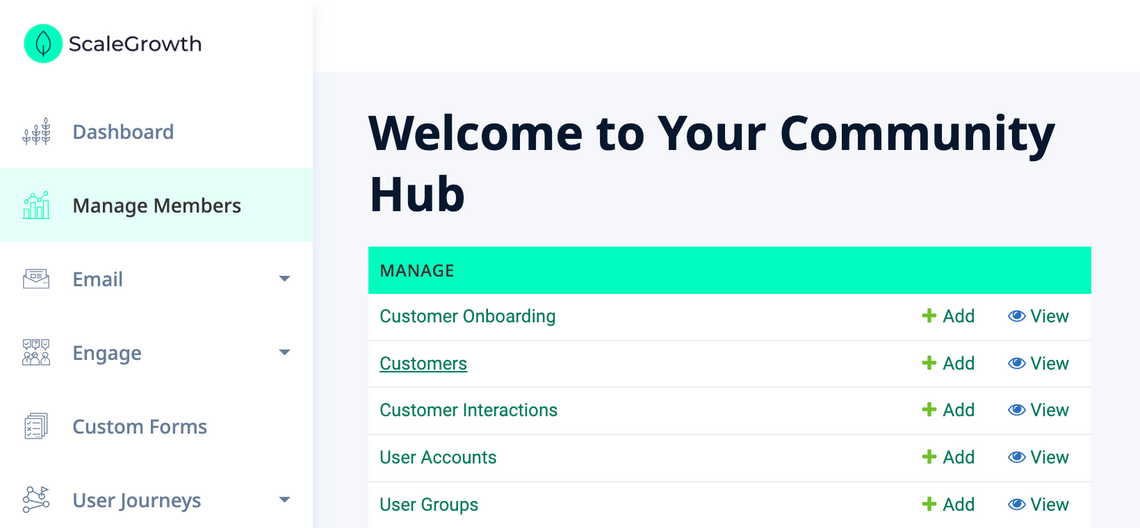
- Head to Manage → [[Members]] *
* – [[Members]] will be replaced with what you call your Members – Customers here:
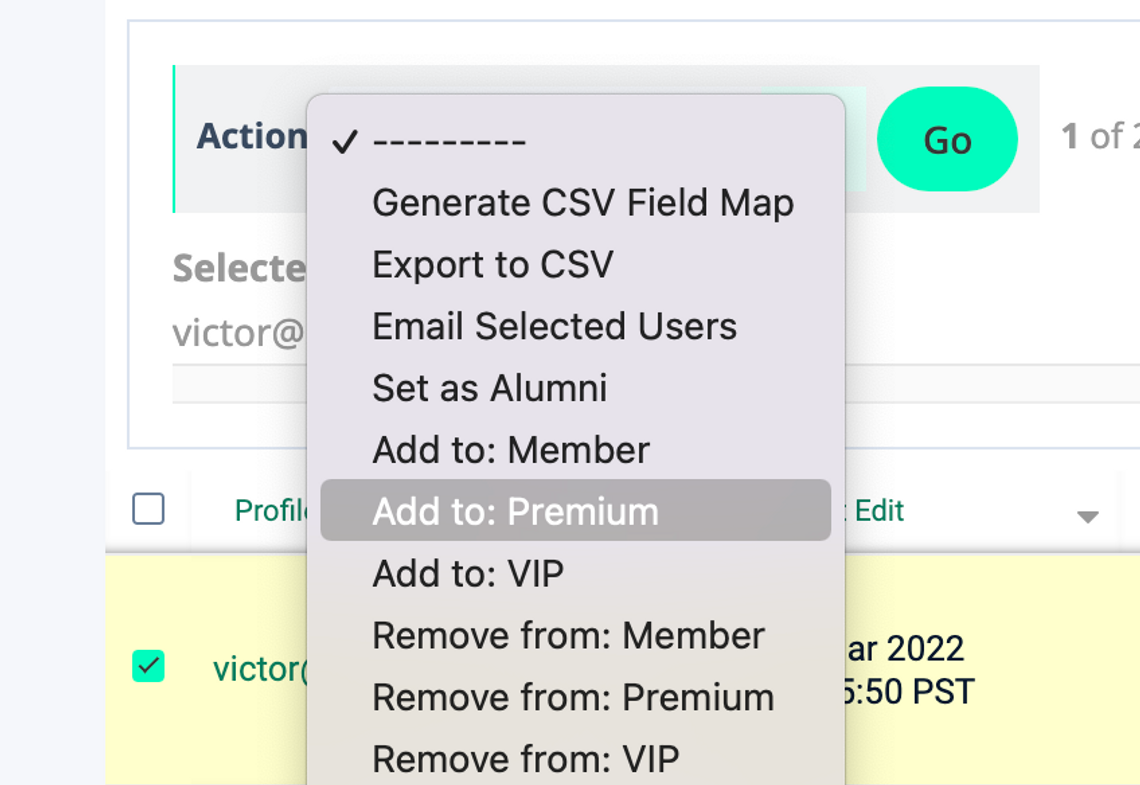
- Select the Members you want to Add using checkboxes on the left
- Click the Action dropdown on the top left
- Select the Add to: [[User Group Name]] *
* – [[User Group Name]] is what you called your User Group – Premium here:
All done!
