
Sometimes, you may wish to completely Remove a User Account from your ScaleGrowth platform.
WARNING: This action is irreversible. All of this user's activity and history will be permanently lost. And if the same user re-joins your community at a later point, all of their previously-entered info will be gone.
If this is not what you want, you may want to consider Removing their Profile instead, which will keep the history of all their info in case they re-join at a later date.
To Remove a User Account:
- Log into ScaleGrowth with your Admin or Moderator account.
- Make sure you are in your Admin view – click the Enter Admin menu button to get there.
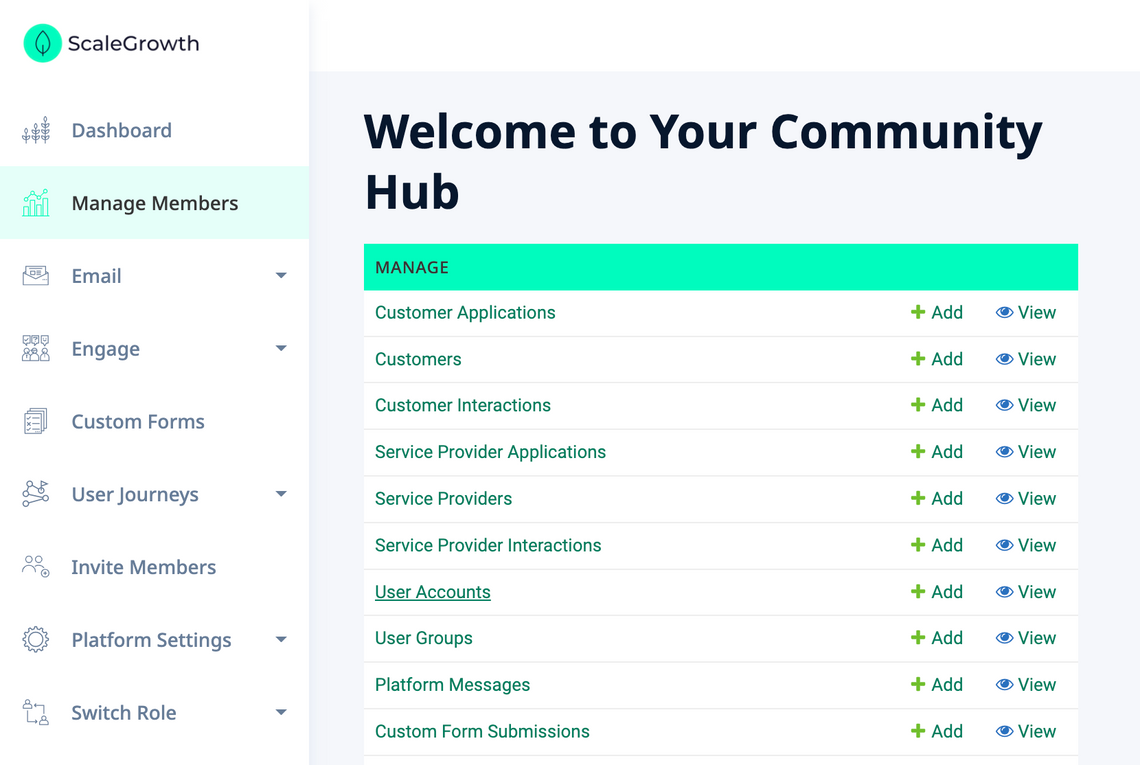
- Head to Manage → User Accounts:
- Here, you will find the Remove button under the Actions column:
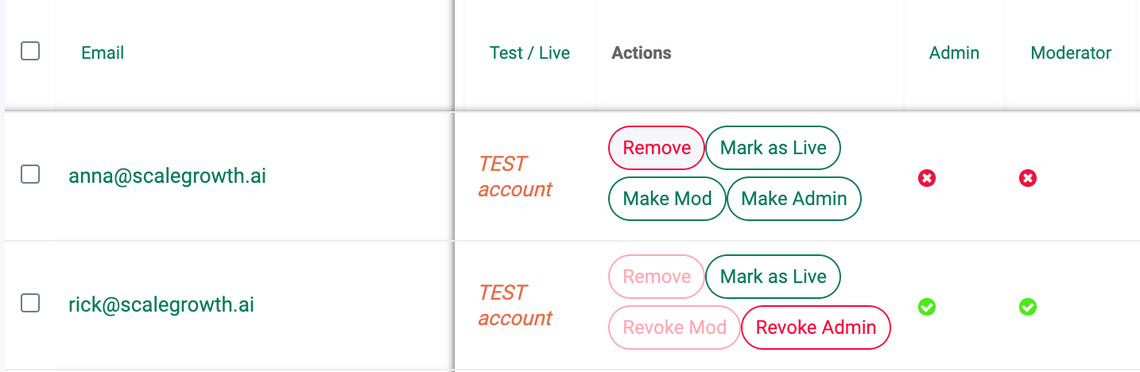
- Please note that you can not directly Remove other Admin or Moderator accounts.
- If you wish to Remove one of these accounts, you will need to first use the Revoke Admin and/or Revoke Mod buttons to revoke their Admin or Moderator status.
- Click the Remove button, which will show the confirmation dialog:
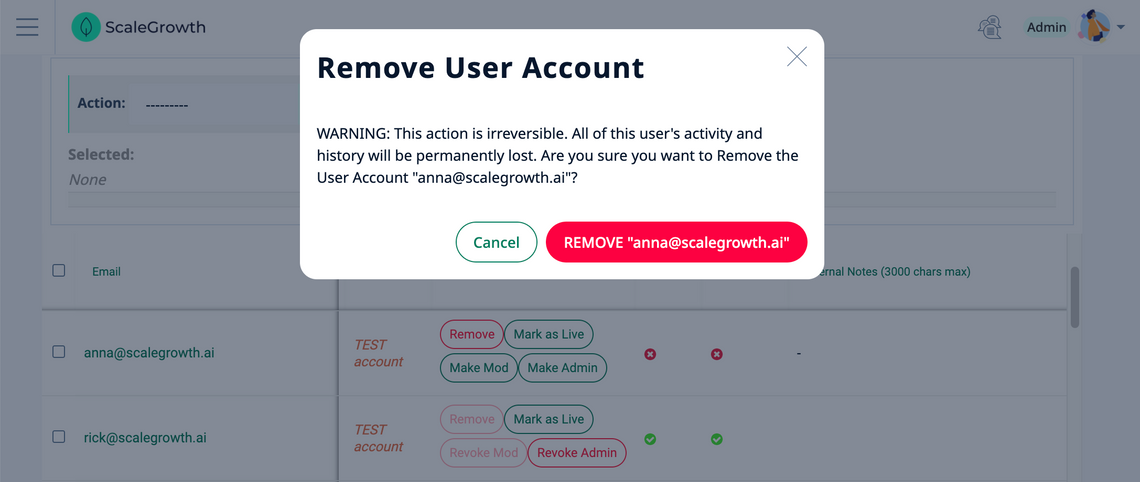
- Finally, confirm your intention by clicking the REMOVE "[email protected]" button.
All done!
