
You can think of ScaleGrowth as a collection of Lego blocks of different Experience Modules & Features.
You can enable and start using each Experience in a matter of seconds, with best practices setup out-of-the-box.
To choose your Solution Modules:
- Log into ScaleGrowth with your Admin account.
- Enter Admin Role if you aren't already.
- Head to Settings → Choose Modules.
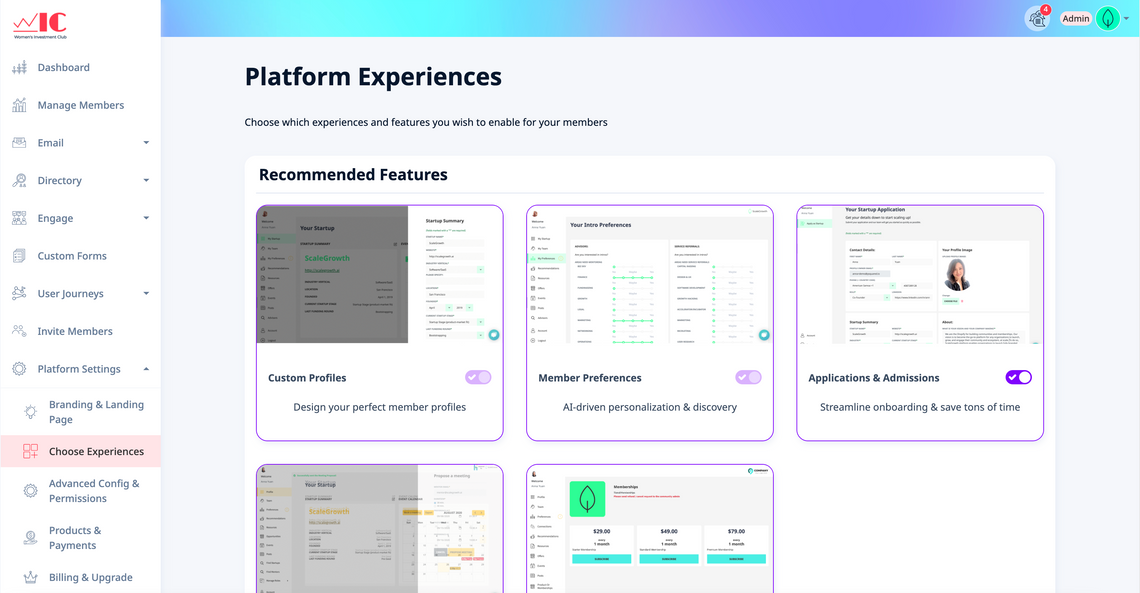
- Simply find the Solution Module or Feature you like, and turn it on. All done!
