
Most of the Menu Items visible to Members on your ScaleGrowth platform can be renamed. To do so:
- Log into ScaleGrowth with your Admin account.
- Make sure you are in your Admin Role – you can use the Switch Role menu to get there.
- From the left menu bar, navigate to Engage or Directory menus.
- For example, here is Engage → Resources:
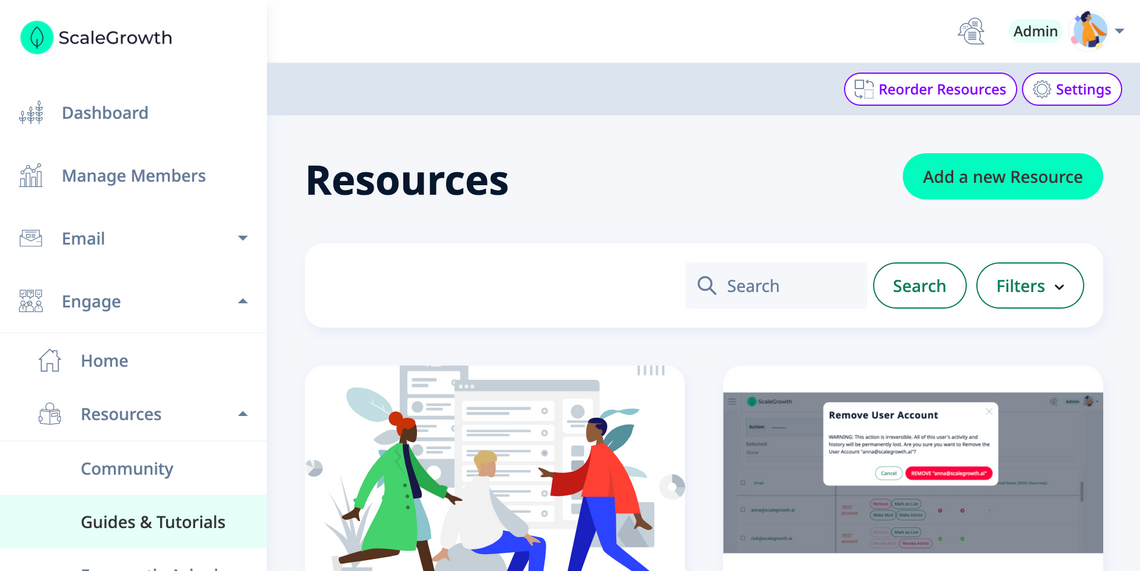
- Click the Settings button in the top right.
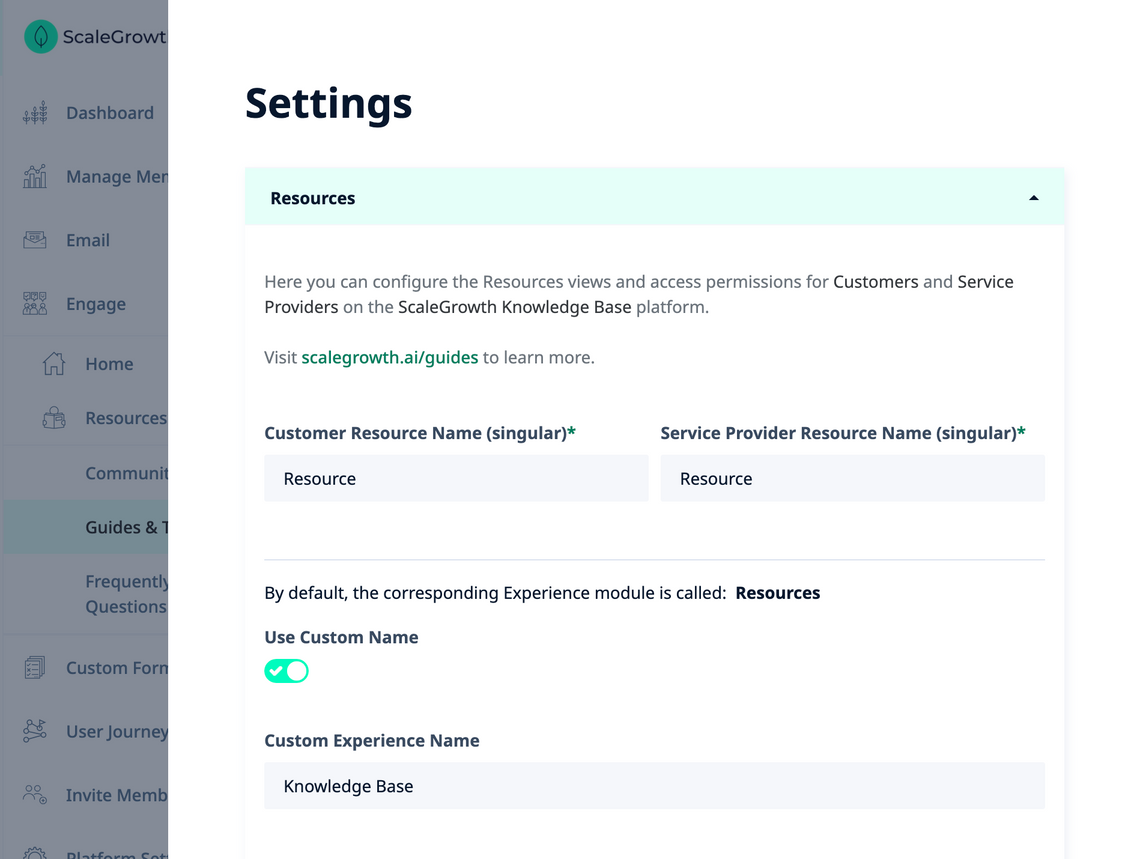
- There, you will see an option to override the default name for this view with something custom.
- For example, here is how to rename Resources to "Knowledge Base":
To learn more, see all Quick Guides for the Navigation Menus Topic.
